Mailfile preference. See message markings

While going through my mail file preferences, i saw that my message markings wasn’t on.
I actually forgot about this setting, and maybe i’am not the only one, so here is a reminder

If you would like to have your emails marked in you Inbox by having dots (round circles) in front of them. Full blue dot means that the emails were sent to you, half blue/half white dot means it was sent to you and someone else at the same time and a white dot means that the email was sent to someone else with me in CC.

For many people the dots really help to have a quick overview about most urgent emails.

Maybe your administrator has set his on for you, bout if he hasn’t !

The function is held in the mailbox preferences. Most mail templates for Notes 6, 7, or 8 contain it. (The feature was introduced in Notes 6).

It’s here:

Go to Inbox -> Tools -> Preferences -> Mail -> Message Marking -> Recipients.

Here you can choose whichever dots and semi-circles you want!

If you don’t find the feature there, contact your IT guy, and ask them to give you a Notes 6 or above standard mail template.

Hope you find it!

PS. I moved the column up just in front of the ‘Who’ column. I think i makes better sense there.

Posted in Lotus, Tip | Tagged , , , , | Comments Off on Mailfile preference. See message markings

New site: www.notesiscool.net, and reminder of others

Just want to tell about a new site i was told about last week. Go and have a look.
Very nice site.

Notes Is Cool | … let’s embrace the coolness and challenge the misinformation 🙂
http://www.notesiscool.net

There is also

http://www.ilovelotusnotes.net/ – Site for all Lotus Notes lovers.

And of course i must not forget to mention:

http://www.planetlotus.org – the place to go look for resources, information etc…

Posted in Lotus | Tagged , | Comments Off on New site: www.notesiscool.net, and reminder of others

Sending push notifications to iOS devices

On developerWorks the are a new article by Michael J. Yuan.

Read if you want to know more about “Delivering rich content directly to iOS apps”

http://www.ibm.com/developerworks/library/mo-ios-push/?cmp=dw&cpb=dwmob&ct=dwnew&cr=dwnen&ccy=zz&csr=021612

Posted in IOSTip, Tip | Tagged , , | Comments Off on Sending push notifications to iOS devices

LNText

My favorite tool is LNText. Don know if i can call it a tool though !
It’s a script Library I use almost every where i code something in Lotus Notes. Why do i use it all the time? Maybe you have heard of it before, so its not a thing that i have invented, and you can find it different places on the Internet.

It does the same as array, but its just a lot easier, because you don’t have to care about redim etc.

Let med give you an example.

If you have a multi value field, you can put it in to a LNText, and then I can use the LNText to check, modify, alter etc.

This is how I do it.

Option Declare

Dim mvField as New LNText()
…set doc
call mvField.setValue(doc.getItemValue(“mvField”))

There can be 1,2 or a 100 entries in the mvField, but that doesn’t matter, LNText takes care of if.

So if I want to print the entries out

Dim i as integer
For i=1 to mvField.getCount()
msgbox mvfield.getElement(i)
Next i

By the way – Always use doc.getItemValue(“FieldName”)(0) and not doc.FieldName(0).

getItemValue always returns something, even if the field doesn’t exits, as doc.FieldName(0) returns an error if it doesn’t exits.

But be aware – in Lotus Notes java code, it doesn’t do that any more. Previously all the core Notes classes behaved the same, but with this function it doesn’t. I’ll properly blog about that some time, and for now you can read about it in the help database. So be aware when you upgrade.

And if I want to change a single value of the mulit value field. I can do this.

Option Declare
Dim mvField as New LNText()
Dim i as integer
…set doc
call mvField.setValue(doc.getItemValue(“mvField”))

For i=1 to mvField.getCount()
If mvField.getElement(i) = “the value i want to find”
call mvField.setElement(i) = “the new value”
End if
Next i

call doc.replaceItemValue(“mvField”, mvField.getValue)

I this ex i have loaded the multivalue field into a LNText, ran through it, changed a value, and written it back to the doc. Very simple, and for me thats the easies way to do it.
And if you want to put an extra value to it, you can just use.

call mvField.append(“extra value”)
call doc.replaceItemValue(“mvField”, mvField.getValue)

No redim, no nothing, just one line

I have used a long time, so I know all the functions by heart. Read through all the functions, and see what it can do.

And I’m sure you will learn to love the features of LNText()

I also have a Java version of it, that behaves the same way. You can find them both on my resources page.

Enjoy

Posted in Lotus | Tagged , | Comments Off on LNText

Wptouch Mobile theme installed

I have just installed the wptouch Mobile theme ón my blog.

And recomendtions are welcome.

Hope you like it. Enjoy !

Posted in Mobile | Tagged , | Comments Off on Wptouch Mobile theme installed

F1 contract to a danish driver

The danish driver Kevin Magnussen has written a contract, with Vodaphone McLaren Mercedes.

Magnussen is going to drive in McLarens Driver Development Programme, that has to prepare him for Formula 1. He is also going to do some straight line tests.

Posted in F1 | Comments Off on F1 contract to a danish driver

Print to special printer in background, without changing default printer

Have you ever wanted to print to another printer than the default in Lotus Notes via LotusScript.

If you do that in windows, windows will remember that printer the next time you print in Lotus Notes.

This could be a problem if you have an Application that prints to a specific printer (ex. Labels).
But if you want to print ex. a mail shortly there after, you don’t want it to use that printer.

It all resets if you restart Lotus Notes, but that not an option. Its a windows problem, and not something Lotus Notes can do anything about.

But i have found some code that prints, and sets the printer back to the original again.

Credit goes to Michael R. Barrick.

Here is the code for a button and a class that you can use if you have this problem.

Button:

Use “lib.dmc.print”

Sub Click(Source As Button)
Dim printing As New Printing()
Call printing.PrintDoc()
End Sub

Class:
%REM
Library lib.dmc.print
Created Sep 21, 2011 by Thomas Lindberg – T175260/Laan-Spar
Description: Comments for Library
%END REM
Option Public
Option Declare

Declare Function GetProfileString Lib “kernel32” Alias “GetProfileStringA” (ByVal lpAppName As String, ByVal lpKeyName As String, ByVal lpDefault As String, ByVal lpReturnedString As String, ByVal nSize As Long) As Long

%REM
Class Printing
Description: Comments for Class
%END REM
Class Printing

Public Function PrintDoc()

Dim WshNetwork As Variant
Dim WshPrinters As Variant
Dim pArray() As String
Dim strBuffer As String * 254
Dim iRetValue As Long
Dim DefaultPrinter As String
Dim pCount As Integer
Dim n As Integer
Dim PrinterPath As Variant
Dim ws As New NotesUIWorkspace

‘ Retreive current default printer information
iRetValue = GetProfileString(“windows”, “device”, “,,,”, strBuffer, 254)
DefaultPrinter$ = Left(strBuffer, InStr(strBuffer, “,”) – 1)
Print “Current default printer is ” & DefaultPrinter$

Set WshNetwork = CreateObject(“WScript.Network”)
Set WshPrinters = WshNetwork.EnumPrinterConnections()

‘count the connected printers
pCount% = 0
For n = 1 To WshPrinters.Count() Step 2
If wshPrinters(n) <> “” Then pCount%=pCount%+1
Next

‘collect the names of the connected printers
ReDim pArray(pCount%-1) As String
pCount% = 0
For n = 1 To WshPrinters.Count() Step 2
If wshPrinters(n) <> “” Then
pArray(pCount%) = wshPrinters(n)
pCount%=pCount%+1
End If
Next

PrinterPath = ws.Prompt(4,”Select Printer”,”Choose a printer from the following list:”,””,pArray)
If CStr(PrinterPath)=”” Then Exit function

WshNetwork.SetDefaultPrinter CStr(PrinterPath)

Print “Default printer is now ” & CStr(PrinterPath)

Dim uidoc As NotesUIDocument
Set uidoc = ws.CurrentDocument
Call uidoc.Print( 1, 0, 0, False, PrinterPath )
WshNetwork.SetDefaultPrinter DefaultPrinter$
Print “Default printer restored to ” & DefaultPrinter$

Set WshNetwork = Nothing
Set WshPrinters = Nothing
End function

End Class

Posted in Lotus, Tip | Tagged , , , | Comments Off on Print to special printer in background, without changing default printer

CreateObject(“Word.Application”) Office 97 vs. Office 2010

In LotusScript when you create a Object af Word in Office 97, you can write something like this.

Dim workspace As New NotesUIWorkspace
Dim uidoc As NotesUIDocument
Set uidoc = workspace.CurrentDocument
Set wdApp = CreateObject(“Word.Application”)
Set docNew = wdApp.Documents.Add(“L:\merge.doc”)
Dim doc As NotesDocument
Dim session As New NotesSession()
Set doc = uidoc.Document
With wdApp.ActiveDocument.Bookmarks
.Item(“Nummer”).Range.Text = uidoc.FieldGetText( “number” )
.Item(“User”).Range.Text = uidoc.FieldGetText( “User” )
…….
End With
wdApp.visible = True

This will open a Word document and put some tekst from a Notes document in it. But if you use this code with Office 2010 you will get a error.

Type Mismatch i method NRun: FROMVAR found, Unknown expected

This is because the create Object has not yet started, when this scrips run. Office 2010 is to slow. It works when you run i debug mode, but not if you run it without.

One workaround is to put a sleep statement in code.

Ex.

Set wdApp = CreateObject(“Word.Application”)
Sleep(3) ‘waits 3 seconds
Set docNew = wdApp.Documents.Add(“L:\merge.doc”)

Try if you can get it down to 1 or 2. Depending on your network and CPU

Then the Word Document will open without errors

Posted in Lotus, Tip | Tagged , , , | Comments Off on CreateObject(“Word.Application”) Office 97 vs. Office 2010

Version check in applications

When i build applications I always make an agent in my templates, with the following code:

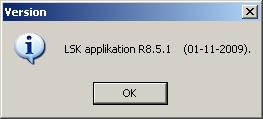
@Prompt([Ok];”Version”;”LSK applikation R8.5.1    (01-11-2009).”)

Every time I release a new buikd for production, i change the text in the agent befor I deploy. Som of my applications has 20 or so databases within it. This way I can check if a database is running the version i want i to. If you have diffent versions running in production, it is also easy to tell your users to choose Actions, Version, and tell you what version they are running, if you have som helpdesk issues.

Posted in Lotus, Tip | Tagged , , , , | Comments Off on Version check in applications

Notes.ini – All entries

Remember that in the Lotus Domino Wiki you can get a list of all the notes.ini settings there is.

You can see them by recently added, Alphabetical etc.

The wiki page provides links to information and best practices on using Notes.ini settings to fine-tune Notes, Domino, or iNotes.

http://www-10.lotus.com/ldd/dominowiki.nsf/xpViewCategories.xsp?lookupName=Notes.ini

Enjoy.

Posted in Lotus | Tagged , | Comments Off on Notes.ini – All entries